Streaming search engines are best used as availability checkers, not as taste-makers. They help you answer one practical question quickly: where can I legally stream, rent, buy, or save a title right now?
Search-engine takeaway: choose a tool based on your real pain point. Use one for cross-service availability, one for watchlist discipline, and one backup method for titles that move between subscription, rental, and free ad-supported windows.
Why Availability Search Is Different From Recommendation
Recommendation engines try to predict what you might like. Availability search tools tell you where a specific film or series can be watched. Those are related jobs, but they are not the same. When a friend recommends a series, your problem is not discovery. Your problem is locating the legal viewing option with the least friction.
This is why a streaming search engine is most useful when you already have a title, actor, director, sport, genre, or watchlist. Tools such as JustWatch describe themselves as streaming guides for finding where to stream movies, TV shows, and sports. Reelgood similarly focuses on showing where movies and TV shows are available across many services. Those features are practical, but the best choice depends on how you watch.
A documentary fan may still need a more curated path, which is where Best Documentary Streaming Hubs for Serious Movie Discovery can help. A household juggling several subscriptions needs a different setup.
Compare the Main Search Patterns
| Search pattern | Best for | Limitation |
|---|---|---|
| Title-first search | Finding one movie, episode, or series quickly | Less useful when you only know a mood or topic |
| Provider browsing | Seeing what is new on services you already use | Can reinforce the same few apps |
| Watchlist syncing | Saving future options across devices | Requires account discipline and privacy awareness |
| Price comparison | Choosing rent, buy, free, or subscription access | Prices and availability can change often |
| Database lookup | Researching credits, dates, and alternate titles | May not reflect your local streaming rights |
What Makes a Search Tool Reliable
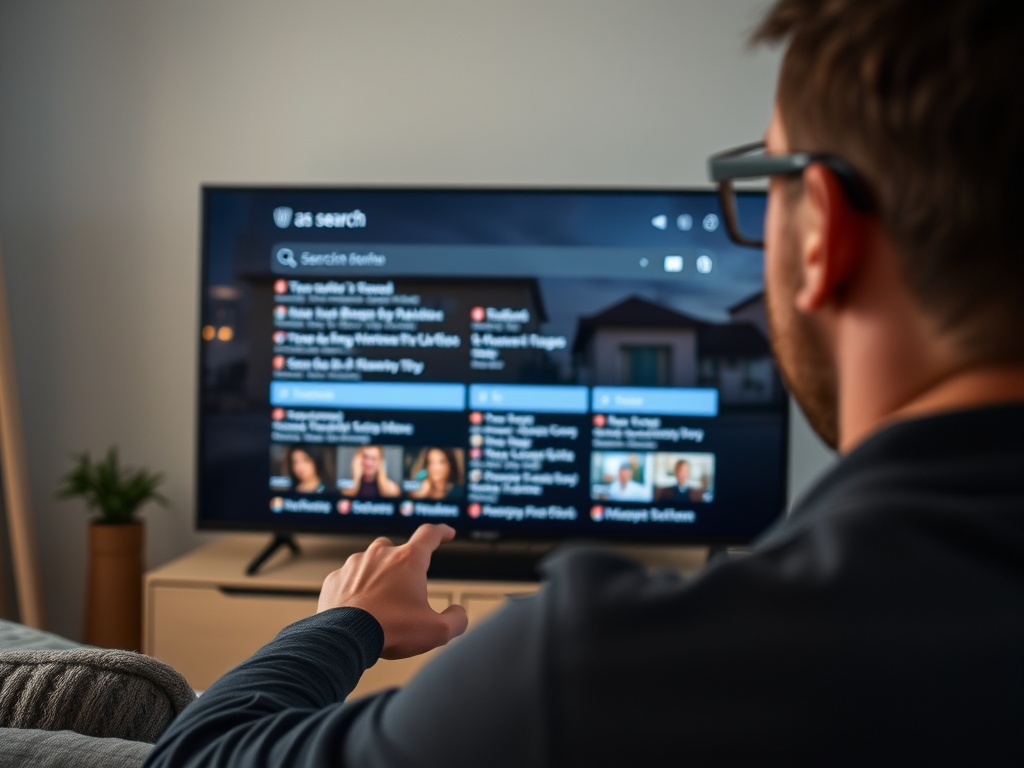
A good streaming search engine should show more than a logo beside a title. Look for country or region filters, separate labels for subscription, rent, buy, and free-with-ads, and clear device handoff. It should also make it easy to hide services you do not use. If every search result includes platforms you cannot access, the tool adds clutter instead of solving it.
The most helpful tools also support watchlists. Google TV's help pages explain that adding a movie or show to a watchlist can update across devices when you are signed in, which is useful for households that search on a phone but watch on a TV. Letterboxd is a different kind of tool: it is primarily a social film diary and watchlist, not just an availability checker. It helps when your main issue is remembering what you meant to watch, not only where it streams.
When Search Engines Get Availability Wrong
Streaming rights move constantly. A tool may show a title as available, but the app itself may place it behind a premium add-on, a regional restriction, or a rental price. Treat search results as a strong lead, then confirm on the service before planning a group watch or canceling another subscription.
This is especially true for:
- Live sports and event replays.
- Titles with the same name in different years.
- Extended cuts, dubbed versions, and festival edits.
- Shows split across seasons or distributors.
- Free ad-supported titles that rotate in and out.
For research-heavy viewing, use database tools as a second layer. The Movie Database's developer documentation includes watch-provider endpoints, which shows how structured availability data can be organized by region, but a consumer still has to confirm the final viewing path in the app.
A Simple Workflow for Less Scrolling
Start with a watchlist rather than a home screen. Add titles from friends, critics, museum screenings, newsletters, and your own notes. Once a week, run the list through your preferred search tool and sort into four buckets: included in a current subscription, free with ads, rental or purchase, and not currently available.
That habit can save money because it separates desire from access. A title that costs a rental fee today may enter a subscription window later. A show that looks free may include ads or limited episodes. If you care about image quality, availability is only step one; the experience also depends on device settings, internet speed, and compression, which are covered in How bitrate, compression, and bandwidth shape streaming quality.
Choosing Between Broad and Niche Tools
Use a broad guide if your household watches across many platforms. Use a film-community watchlist if your problem is tracking recommendations and personal taste. Use platform-native search when you already know the provider. Use a public library or museum catalog when the title is educational, historical, or tied to a collection.
The least useful setup is having five search tools and no decision rule. Pick one main tool and one backup. If a title does not appear, check alternate spellings, release year, and original-language title before assuming it is unavailable.
Keep the Search Habit Lightweight
The goal is not to catalog every possible title. The goal is to find the right legal viewing option quickly, then spend more time watching. Review your saved list monthly, remove stale maybes, and keep notes only where they change your decision.
Privacy, Profiles, and Household Decision-Making
Streaming search tools can become messy when several people share devices. One person's comfort watch, another person's film-class assignment, and a child's animated series can all influence recommendations or watchlists if profiles are not separated. Before relying on any tool, check whether it supports individual profiles, hidden services, parental controls, and private watchlist items.
Privacy also matters because search and watchlist behavior can reveal sensitive interests: health documentaries, political films, religious programming, or personal identity topics. Read account settings and avoid connecting more services than necessary. A tool can be useful without becoming the center of your entire entertainment history.
For households, agree on a decision rule. One person can maintain the shared watchlist, or each person can add three picks per week. When something is available only as a rental, decide whether to rent now, wait, or look for a library option. This turns streaming search from a source of arguments into a planning tool.
The best search engine is the one people will actually use. A powerful app that no one updates will lose to a simple shared list kept clean.
Quick Setup Recommendation
For most viewers, the simplest setup is one cross-service search tool plus one watchlist that lives where you already plan entertainment. If you watch mostly on a TV, a TV-linked watchlist may be easiest. If you discuss films with friends, a social film diary may fit better. Avoid rebuilding the same list in several places. Duplicated lists become stale quickly, and stale lists make availability search feel unreliable even when the tool is working.